How to Choose the Right Platform for Your Agency Website

Picking a platform for your own agency's website is a different problem than picking one for a client. You already know what "good" looks like. You've probably built it for other people a dozen times. The real question is which platform for an agency website actually holds up once you're the client: fast by default, easy for your own designers to touch without filing a dev ticket, and not quietly costing you three hours a month in plugin maintenance you didn't budget for.
We've built on Webflow exclusively for four-plus years and 80+ projects, mostly for SaaS companies and other B2B service firms, including agencies rebuilding their own sites. This is the framework we actually use, not a sales page dressed up as one.
What actually determines the right platform for an agency's own website?
The right platform for an agency website comes down to four things: how fast it loads without extra engineering, how much ongoing maintenance it demands from a small team, how freely your designers can express a distinct visual identity, and what it costs over three to five years, not month one. Most agencies get this decision wrong by optimizing for the wrong variable. They pick based on what they already know how to use, not what the site actually needs to do.
An agency's website has a job most business sites don't: it has to look better than what you'd charge a client to build. If your own site is running a templated theme with three plugins fighting each other in the console, that's visible to every prospect who checks your site before a discovery call. And they will.
The four variables that actually break first:
- Speed and stability without a dedicated ops person. You don't have a DevOps hire watching uptime and caching. Whatever you choose has to be fast by default, not fast with effort.
- Design freedom. A template with your logo swapped in is not a portfolio piece. Prospects can tell.
- Editor access for non-developers. Your junior designers or account managers should be able to update a case study without touching code.
- Total cost over time, including the hours someone spends babysitting it, not just the license fee.
In conversations with other agency founders, this comes up more than almost anything else: keeping the site updated without friction, without waiting on a developer, without it quietly falling out of date. It's usually the single biggest factor in how agencies actually feel about their own website day to day.
Everything below maps back to these four.
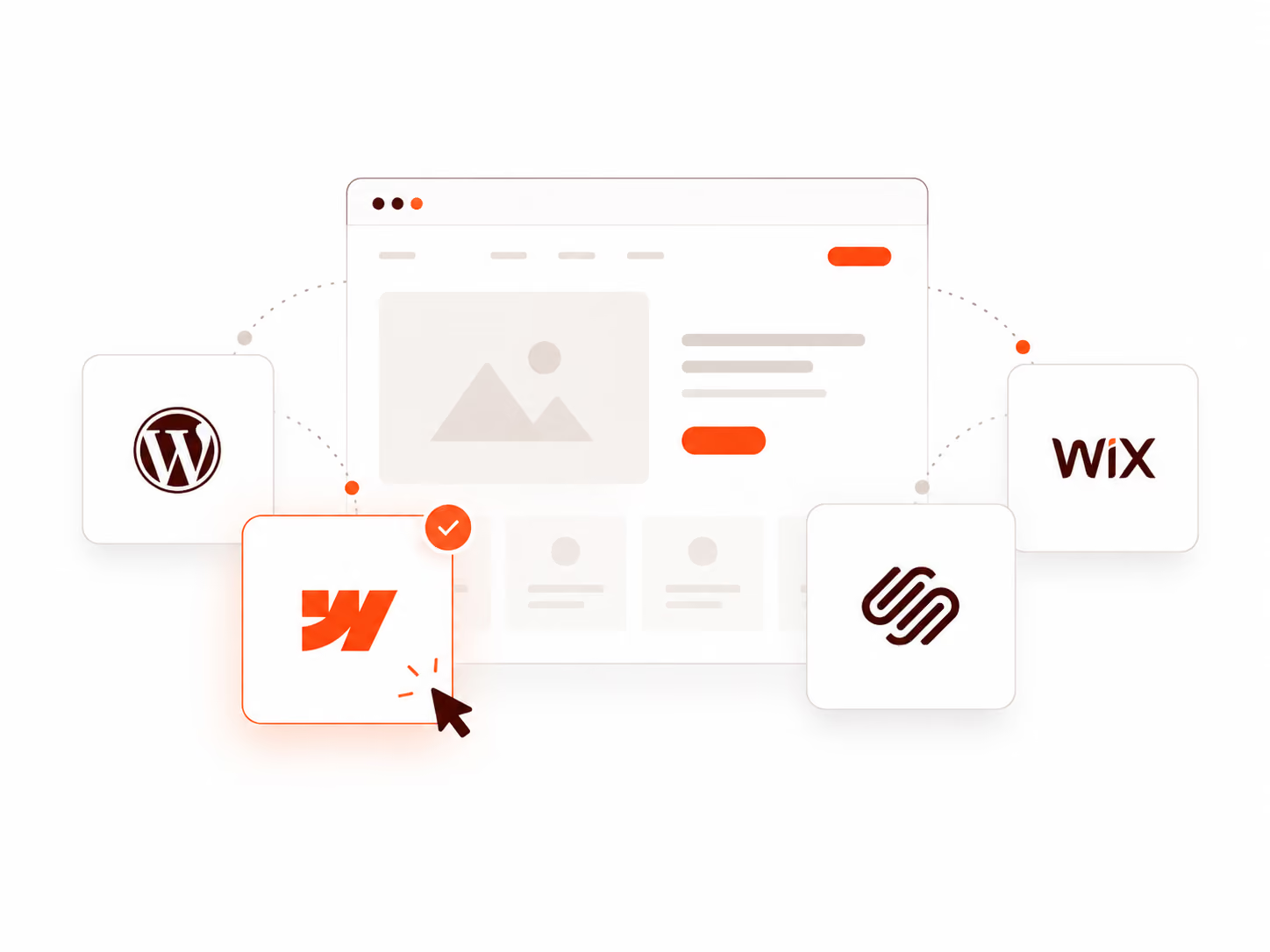
Webflow vs WordPress vs Squarespace vs Wix: which is actually built for agencies?
For most professional service, SaaS, and agency websites, Webflow is the stronger default in 2026: no plugin management, faster page speeds out of the box, and lower five-year maintenance cost. WordPress still wins for content-heavy publishing operations, complex e-commerce, or teams with in-house developers who want full backend control. One 2026 platform analysis put it plainly: Webflow is the better fit for roughly 80% of professional service, SaaS, and agency sites, with WordPress remaining the right call for content-heavy or heavily customized builds.
Squarespace and Wix sit in a different category. Built for small businesses and solo creatives, not for agencies that need to look like a design authority.
The table covers the mechanics. The short version: Webflow and WordPress are the two real contenders for an agency site. Squarespace and Wix are fine for a freelancer's portfolio, but they cap out fast on the design control an agency actually needs.
Why does page speed matter this much for an agency's own website?
Page speed on your own site is a credibility test as much as a technical metric. Every additional second of load time costs roughly 7% in conversions, and B2B buyers who hit a slow agency site quietly assume the agency's actual client work is slow too. This isn't a hypothetical. Portent's analysis of over 100 million pageviews found ecommerce conversion rates of 3.05% on pages loading in one second, dropping to 1.08% at five seconds. A near three-fold difference from load time alone.
The average site in 2026 still loads in roughly 2.5 seconds on desktop and a much rougher 8.6 seconds on mobile, according to HTTP Archive data. Google's own bounce-probability research shows that going from a 1-second load to a 3-second load increases the chance a visitor leaves before the page even finishes by 32%.
For an agency, this cuts deeper than lost conversions. A prospect evaluating you for a $50K website engagement is going to open your site on their phone first, probably in a parking lot before a meeting. If it drags, the pitch is already half-lost before your case studies load. Webflow's hosting runs on a CDN by default, so this baseline is handled without a caching plugin stack, which matters most for teams without a developer checking Core Web Vitals every month.
Is Webflow worth paying for when WordPress is technically free?
WordPress software is free, but running it isn't. Hosting, security patching, plugin licenses, and the developer hours to keep it fast add up to real recurring cost that rarely shows up in the initial pitch. Webflow's $15 to $25 a month site plans bundle hosting, CDN, SSL, and uptime, which is closer to the true all-in cost most agencies actually pay for WordPress anyway. As one 2026 agency comparison put it: WordPress is free to use. That's not the same as free to operate.
Run the math honestly. A WordPress site with decent security and performance usually needs managed hosting ($20 to $100+ a month), a handful of paid plugins, and either a retainer developer or someone on staff checking for update conflicts after every WordPress core release. Skip any of those and the site degrades slowly at first, then all at once, usually when a plugin update breaks the layout the week of a big pitch.
Webflow's current pricing, per its own pricing page, starts free for prototyping, with paid Site plans at $15/month (no CMS) and $25/month (full CMS, code components, site search). That covers hosting, CDN, and SSL in the price. No separate hosting bill, no plugin licenses, no security patch calendar to manage. The trade-off is real: you're paying Webflow instead of paying a hosting company and a maintenance retainer. For a five-person agency without a dedicated ops function, that trade is usually the right one.
Why are so many agencies actually switching from WordPress to Webflow right now?
The single biggest reason we see in practice is plugin dependency. Businesses that migrate from WordPress are often shocked to find Webflow simply doesn't need a stack of third-party plugins to do the same job, because the functionality is already built in. This shows up constantly in real client conversations, not just in comparison articles.
We worked with a consulting firm based in Dubai that came to us running WordPress. By the time they reached out, they had separate plugins handling the contact form, calendar booking, page speed, the CMS, and site security, five or six moving parts, each with its own update schedule and its own way of breaking something else when it updated. When we rebuilt the site on Webflow, they kept asking us which plugin handled which feature. The honest answer, most of the time, was none. Forms, hosting, CDN delivery, and basic security are just part of the platform.
That's not a knock on WordPress. It's an honest description of what changes when a site moves off it. The maintenance surface shrinks because there's less stitched-together infrastructure to maintain in the first place.
When does WordPress actually make more sense than a Webflow build?
WordPress is the better choice when your site runs on high content volume, needs deep e-commerce functionality, or you have an in-house developer who wants full backend access. None of which describe most agency marketing sites. This is the part sales pages from either side tend to skip.
If your agency runs a large content operation, hundreds of blog posts, a resource library, multiple content types with complex taxonomies, WordPress's plugin ecosystem and content architecture still has more depth. The same goes for WooCommerce-driven e-commerce or anything that needs custom backend logic a visual builder can't express.
WordPress has also closed some of the performance gap in 2026. WordPress 7.0 shipped native AI tooling and an MCP adapter, and WP 6.9 brought real performance improvements to core. If your team already has WordPress development capacity and wants that flexibility, the case for switching is weaker than it was two years ago.
But most agency websites are marketing sites. A homepage, a handful of service pages, a portfolio, a blog with a few dozen posts, maybe a careers page. That's squarely Webflow's territory, not WordPress's.
Can a non-technical client team actually manage a Webflow site without a developer?
Yes, and usually with less friction than the WordPress site they're used to. A five- to six-minute recorded walkthrough covering login and basic edits is enough for most non-technical teams; live training is rarely needed. This is one of the most common objections we hear, and it almost always comes from a team that hasn't actually used Webflow yet.
We had a client whose in-house team specifically asked us to build on WordPress, purely because that's what they already knew how to manage. Our answer: if your team can manage WordPress, they can manage Webflow, and they'll probably find it easier. Webflow's editing interface is simpler and more visual than the WordPress dashboard most marketing teams are used to.
In practice, we send a short recorded tutorial, five to six minutes, walking through login and the handful of edits a client team actually needs to make: swapping copy, updating a case study, publishing a blog post. About 90% of the time, that's the entire onboarding. We do offer a live training session as an option, but it's rarely booked, because the recording covers it. If a marketing intern can be trusted to manage a WordPress blog, they can be trusted to manage a Webflow site, and with fewer ways to break something in the process.
Why does custom design matter more for an agency's website than almost any other type of business?
For an agency, the website is where conversion actually happens, and design-literate leads can tell a templated site from a custom one almost instantly. A generic theme undercuts the exact thing you're selling. This is different from most other business categories, where a clean template is genuinely fine.
A prospect evaluating a design or development partner isn't just reading your case studies. They're forming an opinion from the site itself: the type choices, the spacing, the way a page moves as they scroll. A templated site, however well put together, signals "we didn't invest in our own work," which is the opposite of the pitch. This is the single strongest argument for having your site custom designed and built by a professional, on a platform that doesn't put a ceiling on what's possible, rather than assembled from a theme.
Webflow and Framer are the two platforms worth considering here specifically because neither one caps you at template constraints, and both support the kind of high-quality motion and interaction design that makes a site feel premium rather than generic. That polish is directly tied to pricing power. A site that looks and moves like a $5K engagement supports higher project rates than one that looks like a weekend build, regardless of how good the actual client work behind it is.
Should you hire a retainer agency just to manage your website?
Usually not, if all that retainer covers is routine content updates. Webflow and Framer make basic site management simple enough that a non-technical staffer or intern can own it directly, which removes the need to pay an outside agency for that specific job. This is worth separating clearly from a different kind of retainer.
A lot of web design agencies sell "maintenance" retainers that amount to someone logging into your site periodically and making the edits you send over. Once you're on a platform built for non-technical editing, that specific service loses most of its value, and the ongoing invoice and back-and-forth stop making sense. If a five-minute tutorial gets your own client teams managing a Webflow site, the same logic applies to your own site.
Where a retainer still earns its cost is different: ongoing design work, new pages, conversion-rate improvements, evolving the site as your positioning changes. That's not routine editing, it's active design and strategy work that a non-designer on your team genuinely can't replicate. The distinction is what the retainer is actually buying. Paying for someone to make text edits you could make yourself is the cost worth cutting. Paying for a strategic partner who keeps improving the site is a different thing entirely.
What about Squarespace or Wix for an agency's own site?
Squarespace and Wix are reasonable choices for a solo consultant or a very small business site, but they're a mismatch for an agency. The design system is templated by nature, and clients evaluating you on visual craft will notice. Both platforms have genuinely improved on the technical side. One 2026 speed comparison found Wix and Squarespace actually lead the pack on mobile Core Web Vitals pass rates, ahead of both Webflow and WordPress.
Speed was never really the objection, though. The problem is design ceiling. Squarespace and Wix are built around templates you customize within fixed constraints. That's a fine trade for a photographer's portfolio or a local business page. It's a bad trade for an agency whose entire pitch is "we design things better than you could yourself." A prospect who recognizes a Squarespace template, and design-literate prospects do, has already formed an opinion before reading a word of your copy.
There's also a practical ceiling on CMS structure and custom interactions once a site grows past a handful of pages, which matters more for an agency portfolio that keeps adding case studies.
How do we make this call for our own clients at Missing Piece Studio?
We build exclusively in Webflow, and that includes every one of the 80+ projects across SaaS companies, agencies, and B2B service firms we've shipped in four-plus years. It's not a default we fell into. It's the platform that lets a five-person team ship fast and hand off cleanly, without a developer permanently on retainer.
The pattern we see most often with agencies specifically: they built their own site fast and early, on whatever tool was easiest at the time, then never revisited it because there's always a client project ahead of it in the queue. Two years later, the site that's supposed to be selling design work is the weakest design work in the portfolio. If that sounds familiar, the fix usually isn't a full rebuild. It's a focused rework of the pages prospects actually check before booking a call: home, portfolio, and whatever service page matches what they're hiring for.
The honest exception, worth repeating: if your agency runs a heavy content operation or needs backend logic Webflow can't express, WordPress remains the more capable tool. Most agency sites don't need that. They need to load fast, look sharp, and let a non-developer update a case study without breaking the layout.
FAQ
Is Webflow better than WordPress for agency websites? For most agency marketing sites, a homepage, service pages, a portfolio, and a blog, yes, Webflow is generally the better fit in 2026. It ships faster by default and needs less ongoing maintenance from a small team. WordPress remains stronger for high-volume content operations, complex e-commerce, or teams with dedicated developers.
How much does a Webflow website cost in 2026? Webflow's own pricing page lists a free Starter tier for prototyping, a $15/month Basic plan without CMS, and a $25/month Premium plan with the full CMS, code components, and site search. That's the platform fee only. Design and development cost is separate and scoped per project.
Can I switch platforms later if I start with Squarespace or Wix? Yes, but expect a full rebuild rather than a clean migration. Squarespace and Wix don't export cleanly into Webflow or WordPress, so switching later means redesigning from scratch. That's exactly why the platform choice matters more upfront than it looks like it does.
Do I need a developer to run a Webflow site day-to-day? No. Webflow's visual editor lets non-technical team members update copy, images, and CMS content, like case studies or blog posts, without touching code. A developer is useful for custom interactions or complex integrations, but not for routine content updates.
What's the biggest mistake agencies make when picking a website platform? Choosing based on what a designer or developer already knows how to use, rather than what the site needs to do long-term. The right question isn't "what can we build fastest right now." It's "what will still be fast, maintainable, and on-brand in three years without a dedicated person watching it."
Can my client's non-technical team manage a Webflow site without training? Yes, in most cases. A short recorded walkthrough covering login and basic edits, five to six minutes, is usually enough for a non-technical team to handle content updates independently. Live training is available but rarely necessary.
Should I pay a retainer agency to manage my agency's own website? Not for routine content updates; Webflow and Framer make those simple enough for a non-technical staffer or intern to handle directly. A retainer is worth paying for when it covers ongoing design work, new pages, or conversion improvements, not basic text and image edits.
About the author: Jahid Aktar is the founder of Missing Piece Studio, a strategic web design agency for SaaS and B2B service companies. 80+ projects, 4+ years specializing in design psychology and conversion-focused Webflow builds.
Get a website built for growth
If your SaaS website is getting traffic but not converting visitors into trial users, it might be time to look at how your website is structured.
At Missing Piece Studio, we help SaaS companies design websites that clearly explain their product and drive more signups.